DreamForge app icon DreamForge

Shape ideas into finished images.

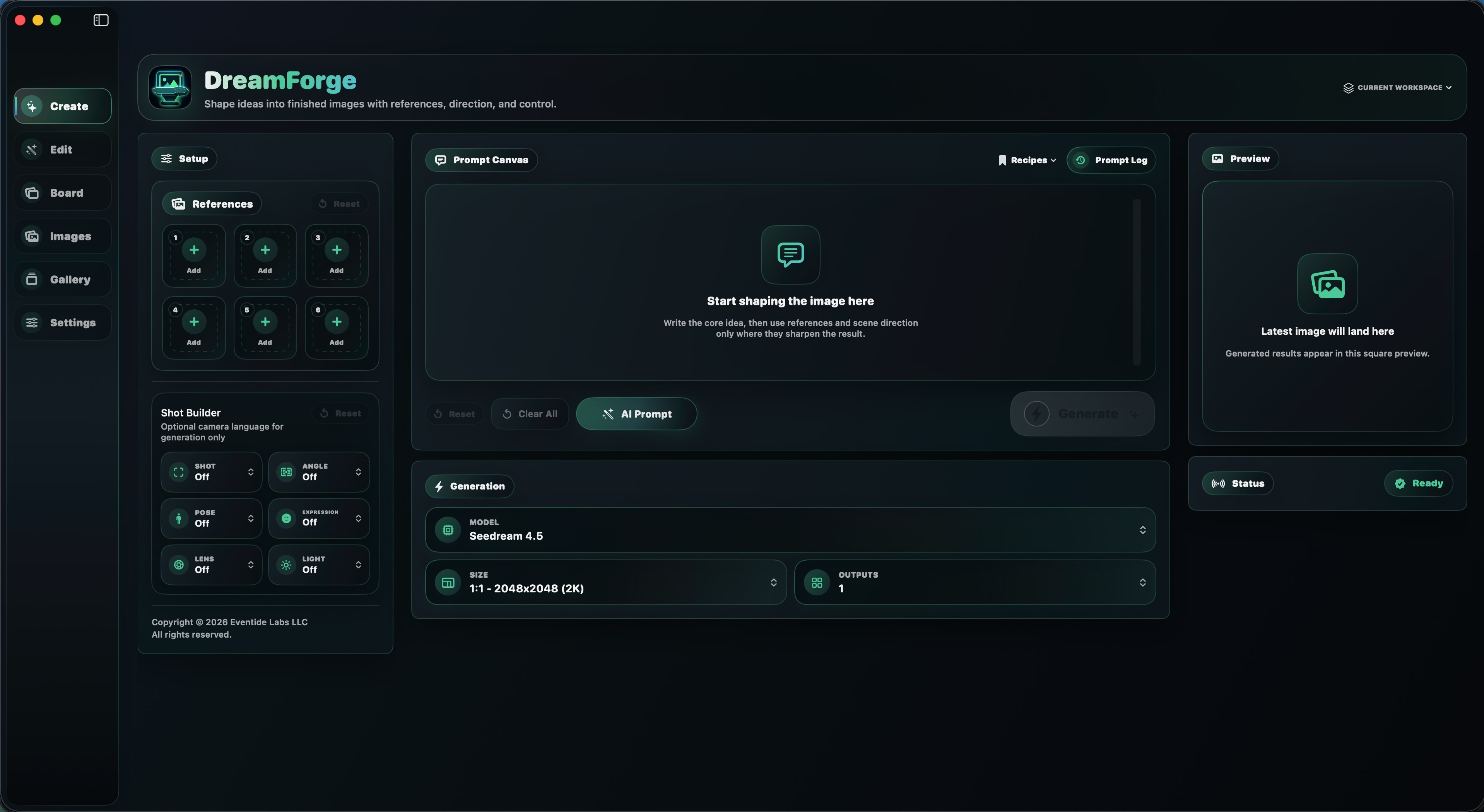
DreamForge turns your ComfyUI setup into a focused creation studio. Build from references, direct the shot, choose prepared workflows, refine the result, and keep finished images organized across Mac, iPhone, and iPad.

DreamForge for Mac Create workspace
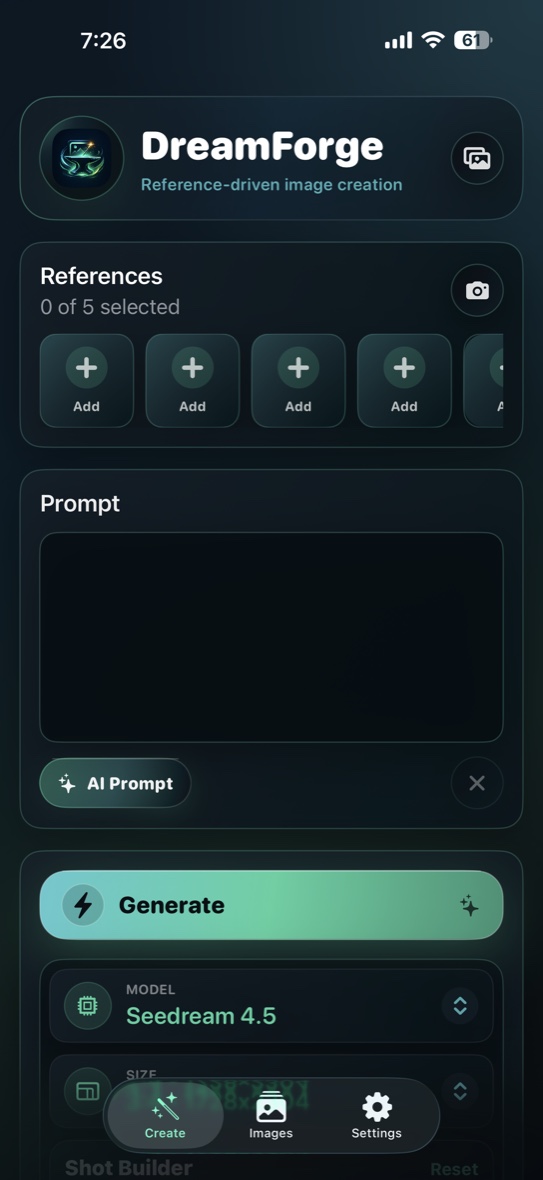
DreamForge for iPhone Create screen
One creative loop Desktop depth when you are at the studio. Mobile control when you are away from it.
Two Surfaces

The same idea, shaped for where you work.

Mac

The full desktop studio.

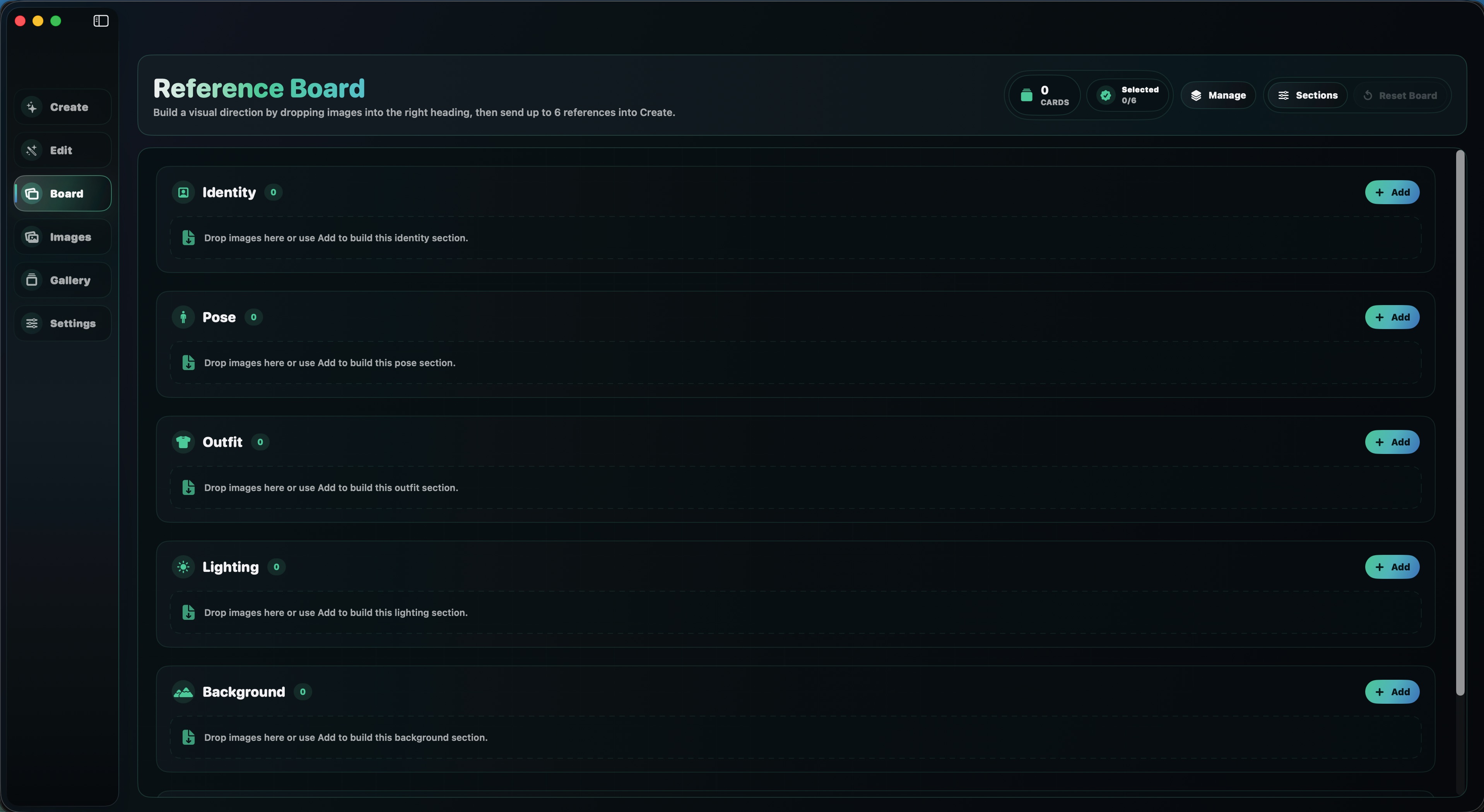
Build with six references, organize a visual direction board, generate up to four outputs, run edit tools, manage workspaces, and keep your ComfyUI folders clean.

DreamForge for Mac Reference Board See Mac version
iPhone & iPad

The mobile control surface.

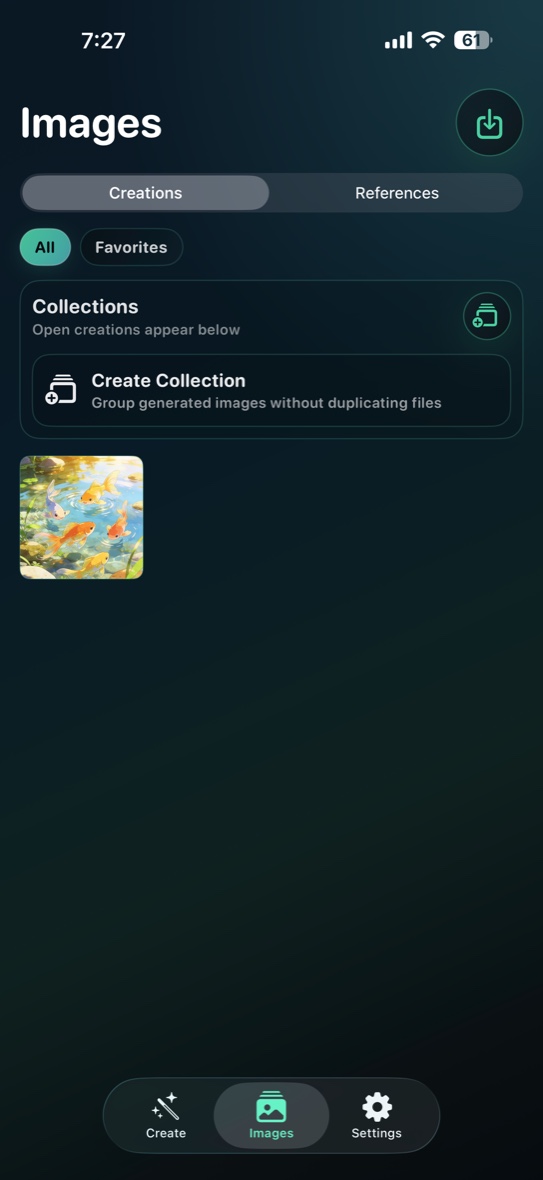
Connect to your ComfyUI server from Wi-Fi or Tailscale, import from Photos, capture references, generate from prepared workflows, and save results back to your library.

DreamForge iPhone creations library See iPhone & iPad version
ComfyUI, Made Usable

Your server stays yours. DreamForge becomes the interface.

DreamForge does not ask you to build node graphs every time you want an image. It routes prompts, references, sizes, model choices, and output handling through prepared workflows on the ComfyUI server you configure.

Prepared workflows Reference handling Partner API models Local libraries
Create

Write the core idea, attach references, choose a model and output size, then generate.

Direct

Use shot language, a reference board, saved prompts, or recipes to keep intent clear.

Refine

Upscale, enhance, remove backgrounds, reuse outputs as references, and export only when ready.

Workflow

A finished loop, not a pile of disconnected tools.

01

Gather the visual direction.

Use references, shot choices, prompts, saved recipes, and board sections to establish the image before generation.

02

Generate through prepared routes.

DreamForge handles the model-specific workflow shape while your ComfyUI setup handles generation and provider calls.

03

Inspect, reuse, refine, and export.

Keep creations separate from references, send selected images into edit tools, group galleries, or share finished results.

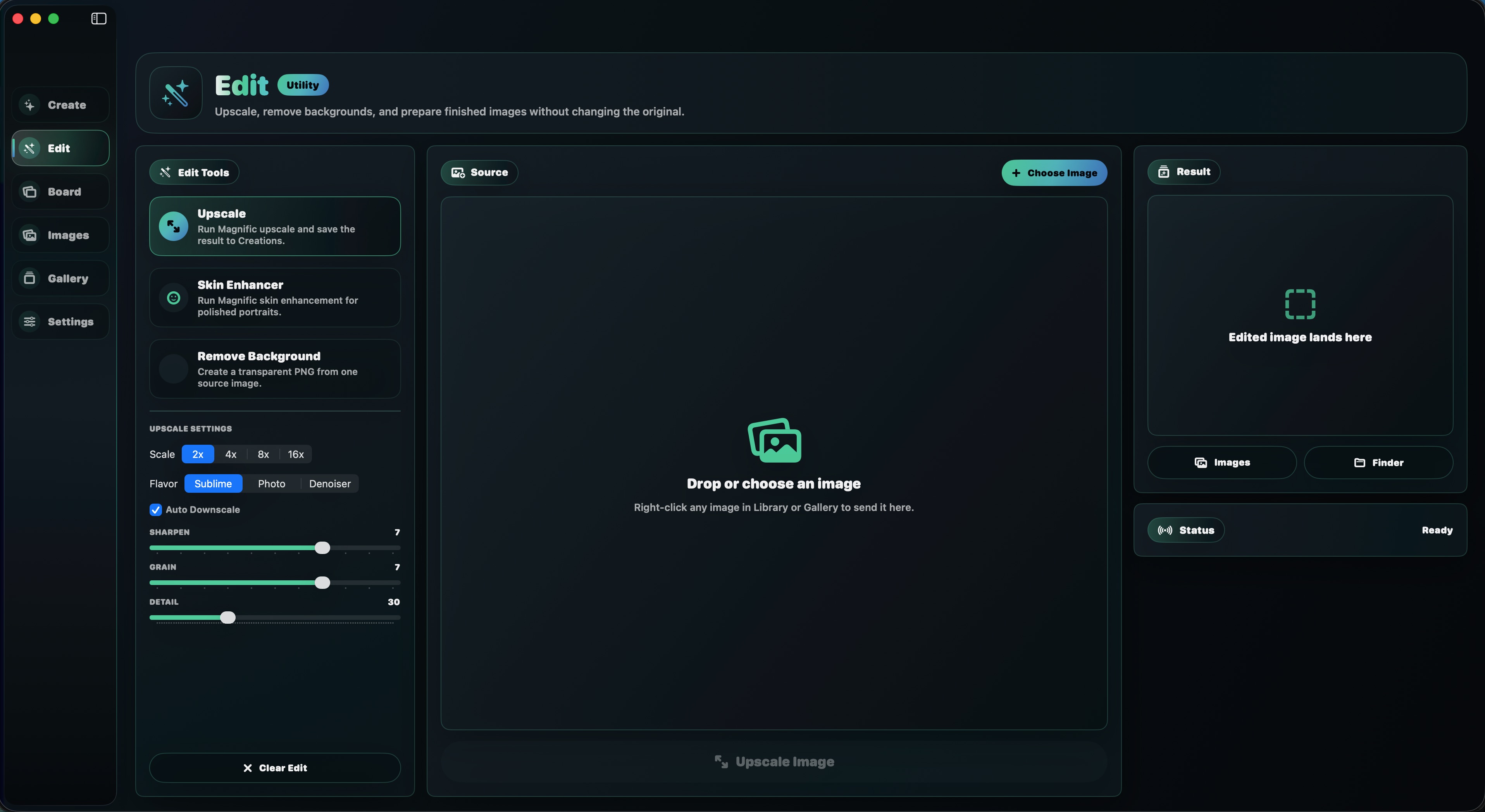
DreamForge for Mac Edit workspace
Mac Adds Depth

More room for references, boards, edits, galleries, and workspaces.

The Mac version expands DreamForge into a desktop studio: a sidebar workflow, reference board, edit bench, app-owned image library, workspace switching, prompt history, saved recipes, and cleanup controls for ComfyUI input and output folders.

Open Mac page

DreamForge FAQs

Are the Mac and iPhone/iPad versions the same app?

They share the same DreamForge idea: reference-driven image creation through a user-configured ComfyUI server. The Mac version is deeper and more desktop-native, while the iPhone and iPad version is built around mobile capture, Photos, Wi-Fi, and Tailscale workflows.

Do I need ComfyUI?

Yes. DreamForge is an interface for the ComfyUI server you configure. The apps send prompts, selected references, workflow choices, and generation requests to that server.

Does DreamForge build node graphs for me?

DreamForge ships with prepared workflows for supported models and tools, so the day-to-day app experience is model choice, references, prompt direction, and output review rather than manual graph wiring.

Which platform should I start with?

Start with Mac if you want the fullest studio surface and workspace organization. Start with iPhone or iPad if your main need is mobile generation, camera capture, Apple Photos import/export, or remote use through a private route.